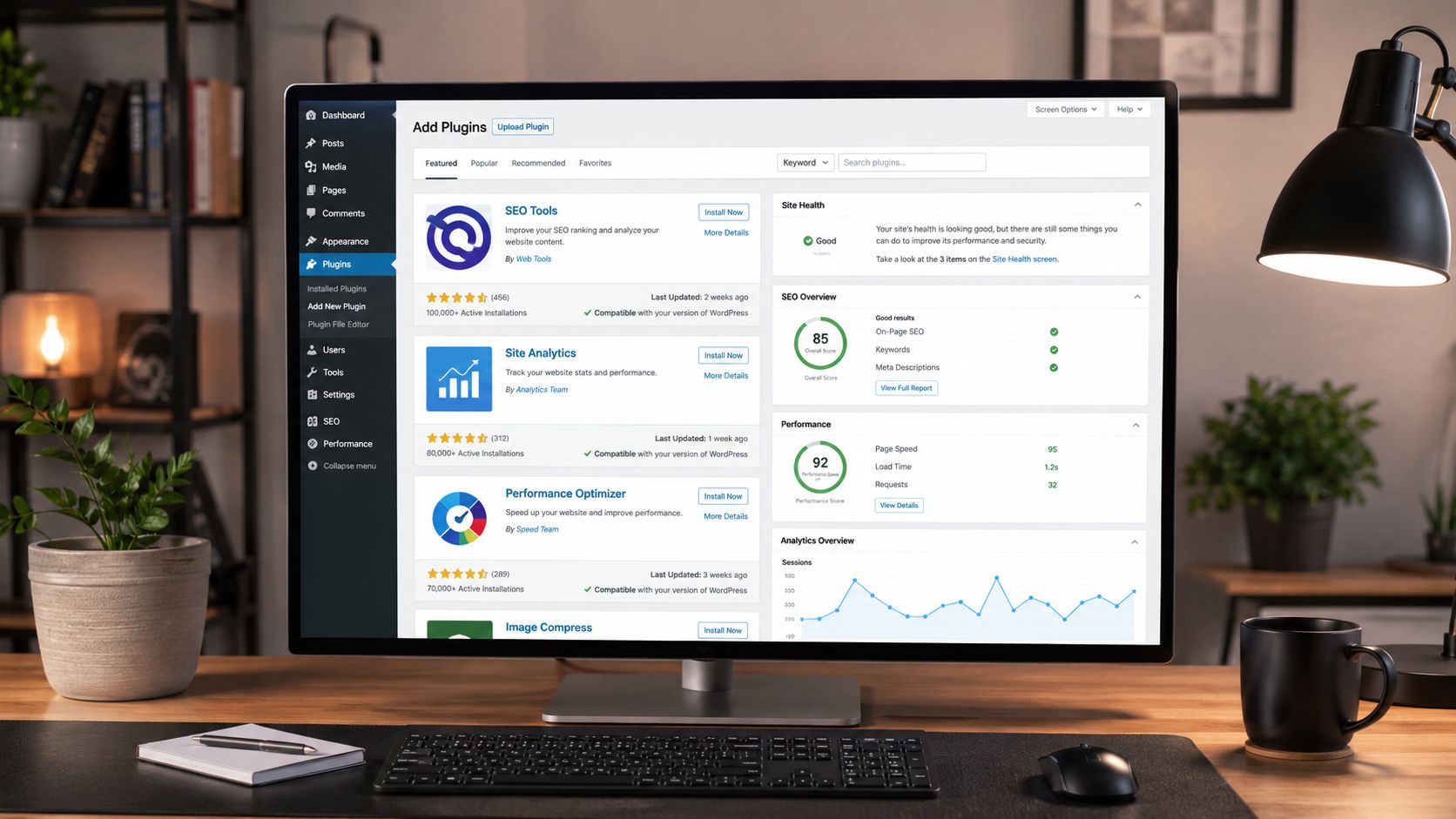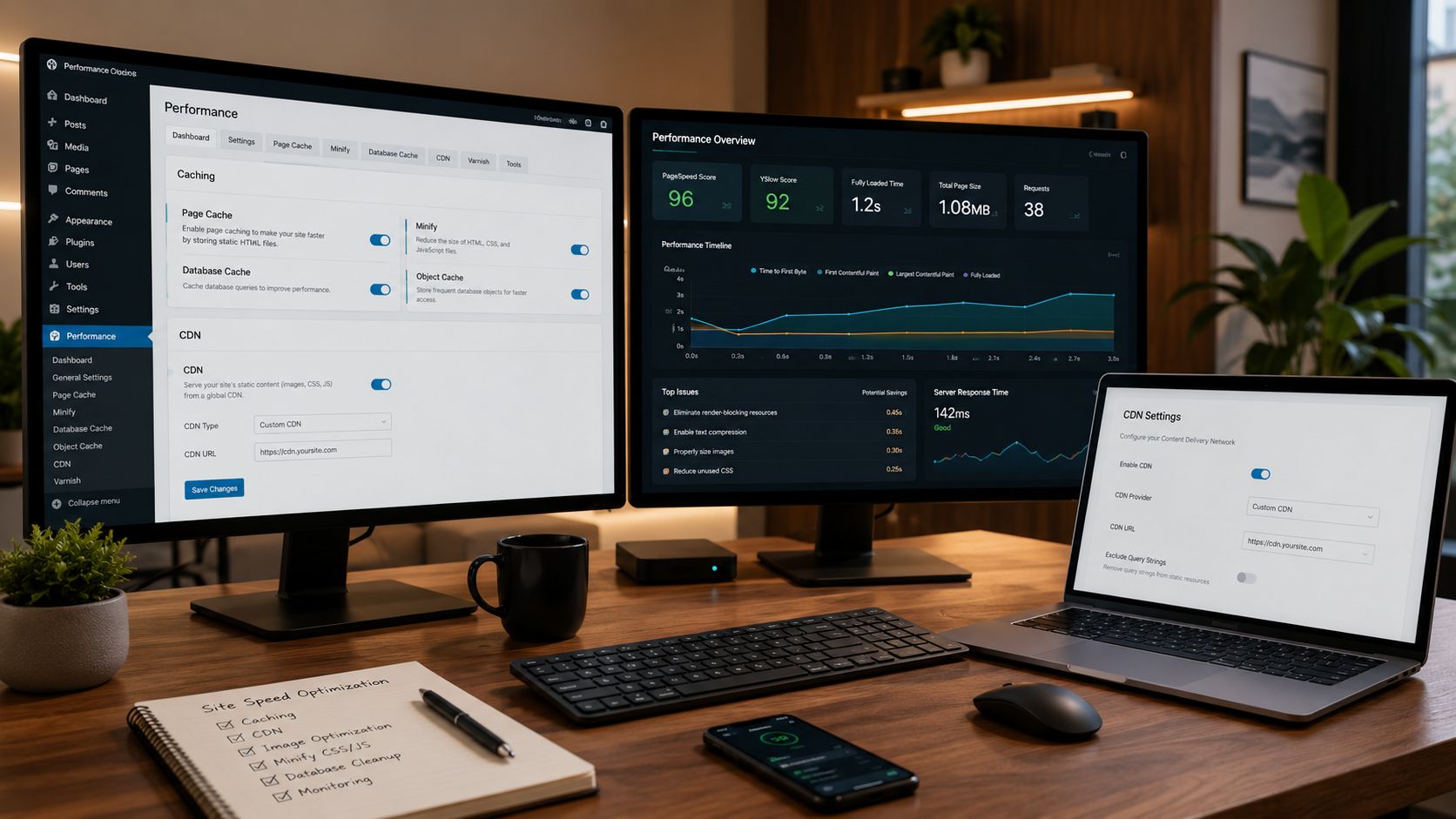
Modern websites compete in a digital environment where speed matters more than ever. Visitors expect pages to load instantly, search engines prioritize faster websites in rankings, and online businesses lose conversions every second a page remains delayed. A slow website no longer feels like a minor inconvenience — it feels outdated, unprofessional, and unreliable. WordPress gives users incredible flexibility, but that flexibility can also create performance problems when websites become overloaded with large images, bloated themes, unoptimized code, and unnecessary plugins. Many beginners discover this issue only after their traffic starts growing and their site becomes noticeably sluggish.
A: WP Rocket is popular for beginners because it combines caching, file optimization, lazy loading, and simple setup.
A: It works best on LiteSpeed servers, though some features can still help other hosting setups.
A: Usually no. Multiple caching plugins can conflict and create layout, login, or update problems.
A: Yes. Large images are one of the most common reasons WordPress pages load slowly.
A: No. Plugins help, but slow hosting can still limit performance.
A: Yes, clearing cache helps visitors see the latest version of pages, styles, and scripts.
A: Advanced settings like JavaScript delay, minification, and CSS optimization can cause issues if configured too aggressively.
A: Cart, checkout, account, login, and some membership pages often need special caching rules.
A: Test after major plugin, theme, hosting, image, ad, or design changes.
A: Start with caching and image compression because they are easy wins for most beginner WordPress sites.
Transforming Load Times With Advanced Caching Plugins
Caching is often the first major upgrade recommended for WordPress performance because it dramatically reduces the work a server must perform every time a visitor loads a page. Without caching, WordPress dynamically builds pages repeatedly using PHP scripts and database queries. This process consumes resources and slows down delivery times.
Caching plugins solve this problem by generating static versions of pages and serving them instantly to visitors. The result is faster load times, smoother browsing, and improved server efficiency.
WP Rocket has become one of the most respected premium caching plugins because it combines ease of use with powerful optimization features. Beginners appreciate its simple setup process, while advanced users benefit from file optimization, lazy loading, preloading, and database cleanup tools integrated into a single platform.
LiteSpeed Cache is another standout plugin, especially for websites hosted on LiteSpeed servers. It offers impressive performance improvements through advanced server-level caching while also including image optimization and CDN integration features.
W3 Total Cache remains a favorite among technically experienced users because of its extensive customization options. While it has a steeper learning curve, it provides detailed control over browser caching, object caching, database caching, and script optimization.
Many website owners are surprised by how much faster their sites become after implementing proper caching systems. Pages that once took several seconds to load can often become nearly instantaneous, creating a more enjoyable user experience while improving overall search visibility.
Caching also helps websites handle traffic spikes more efficiently. During high visitor periods, cached pages reduce server workload and improve stability, preventing slowdowns that could otherwise damage engagement and conversions.
Compressing Images Without Sacrificing Quality
Images are often the largest elements on a webpage, making image optimization one of the most important aspects of WordPress performance. Large uncompressed images can dramatically slow websites, especially on mobile devices and slower internet connections.
Image optimization plugins reduce file sizes while maintaining visual quality, allowing websites to load faster without compromising appearance. This balance is critical because modern websites rely heavily on visual content to attract and engage visitors.
Smush has become one of the most beginner-friendly image optimization plugins available. It automatically compresses uploaded images, removes unnecessary metadata, and improves delivery performance without requiring technical knowledge.
ShortPixel offers another powerful solution by using advanced compression algorithms that significantly reduce image sizes while preserving clarity. It also supports modern image formats like WebP, which are designed specifically for faster web performance.
Imagify has gained popularity because of its clean interface and strong balance between optimization strength and image quality preservation. Many website owners appreciate how seamlessly it integrates into existing WordPress workflows.
Lazy loading is another essential feature offered by many image optimization plugins. Instead of loading every image immediately when a page opens, lazy loading delays off-screen images until users scroll down to them. This dramatically improves initial page speed and reduces bandwidth usage.
Modern websites often contain dozens of images across blog posts, product pages, galleries, and landing pages. Without optimization systems in place, even powerful hosting environments can struggle under the weight of oversized media files.
Image optimization plugins ensure websites remain visually attractive while delivering smooth performance across desktops, tablets, and smartphones.
Cleaning and Optimizing Databases for Long-Term Speed
Over time, WordPress databases accumulate unnecessary clutter that can gradually slow down website performance. Old revisions, spam comments, transient data, post drafts, and unused tables create bloat that increases query times and reduces efficiency.
Database optimization plugins help maintain a cleaner and more organized website infrastructure by removing unnecessary data and streamlining database operations.
WP-Optimize is one of the most widely used tools for database cleanup because it combines simplicity with powerful automation features. It removes revisions, clears spam comments, optimizes database tables, and improves overall efficiency without requiring advanced technical expertise.
Advanced Database Cleaner provides more granular control over database management. It helps identify orphaned data left behind by deleted plugins and themes, allowing website owners to remove hidden clutter that continues consuming resources.
Database optimization may not be as visually noticeable as caching or image compression, but it plays an important role in maintaining long-term performance stability. Websites with large amounts of content, comments, or plugin activity especially benefit from regular cleanup routines.
Many beginners underestimate how quickly databases grow over time. Every post revision, temporary cache, and plugin setting contributes to additional storage and processing demands. Without optimization, these small inefficiencies accumulate into significant performance slowdowns.
A clean database improves backend responsiveness as well. Admin dashboards become faster, editing experiences feel smoother, and overall website management becomes more efficient.
Performance optimization is not only about front-end speed for visitors. It also involves creating a streamlined system behind the scenes that allows WordPress to operate more efficiently at every level.
Eliminating Unnecessary Scripts and Resource Bloat
Modern WordPress websites often load dozens of scripts, stylesheets, fonts, and third-party assets simultaneously. While these elements can enhance functionality and design, they also create performance bottlenecks when poorly optimized.
Script management plugins help reduce unnecessary resource loading by selectively disabling features and optimizing file delivery.
Perfmatters has become increasingly popular because it allows website owners to disable unnecessary WordPress functions and prevent plugins from loading scripts on pages where they are not needed. This targeted optimization approach significantly reduces page weight and HTTP requests.
Asset CleanUp offers similar functionality by giving users precise control over which CSS and JavaScript files load on specific pages. Many plugins load assets globally across an entire website even when they are only needed on a few pages. Asset management plugins solve this inefficiency.
Minification and combination features also play an important role in reducing resource bloat. By compressing and combining CSS and JavaScript files, websites reduce file sizes and server requests, leading to faster loading times.
Google Fonts optimization has become another important area because excessive font requests can slow down websites considerably. Some optimization plugins allow fonts to be hosted locally or combined more efficiently.
Third-party scripts such as chat widgets, tracking tools, ad networks, and social media embeds can also impact performance significantly. Managing these external resources carefully helps maintain a faster browsing experience.
Performance optimization often involves removing unnecessary complexity rather than simply adding more features. The cleanest and fastest websites are usually the ones that load only what is truly necessary.
Accelerating Global Performance With CDN Integration
Website speed is affected not only by server quality but also by physical distance between visitors and hosting infrastructure. A visitor located far away from the hosting server may experience slower loading times because data must travel longer distances.
Content Delivery Networks, commonly called CDNs, solve this problem by distributing website assets across global server networks. Visitors receive content from servers located closer to their geographic location, dramatically improving loading speeds worldwide.
Plugins like CDN Enabler and integrated systems within WP Rocket simplify CDN implementation for WordPress users. Cloudflare integration has also become one of the most popular performance strategies because it combines CDN delivery with additional security and optimization features.
CDNs improve performance by caching images, CSS files, JavaScript files, and other static assets across multiple data centers globally. This reduces latency and creates a smoother browsing experience regardless of visitor location.
Global speed optimization is especially important for websites targeting international audiences. A website hosted in the United States may load quickly for American visitors but slowly for users in Europe, Asia, or South America without CDN support.
CDNs also help reduce server strain during traffic surges by distributing content delivery across multiple locations. This improves website reliability while supporting larger traffic volumes more efficiently.
For beginners, CDN integration may initially sound complicated, but modern WordPress plugins have simplified the process dramatically. Many hosting companies now include CDN compatibility directly within their platforms, making implementation easier than ever before.
As websites grow and attract broader audiences, CDN optimization becomes one of the most impactful long-term investments in website performance.
Mobile Optimization and Core Web Vitals Performance
Mobile traffic now dominates much of the internet, making mobile optimization a critical component of WordPress performance. Search engines increasingly prioritize mobile-first indexing, meaning websites are evaluated primarily based on their mobile experience.
Performance plugins help improve Core Web Vitals, which are Google’s key measurements for loading speed, visual stability, and interactivity. These metrics directly influence SEO rankings and user experience.
Autoptimize is one of the most effective plugins for improving frontend optimization. It aggregates, minifies, and caches scripts and styles while helping reduce render-blocking resources that slow down page loading.
FlyingPress has emerged as another high-performance optimization plugin focused specifically on Core Web Vitals improvements. It offers advanced lazy loading, script delay functionality, and optimization tools designed to improve real-world performance metrics.
Mobile optimization involves more than simply shrinking desktop pages onto smaller screens. It requires efficient resource management, faster rendering, and responsive layouts that feel smooth on smartphones and tablets.
Plugins that delay non-essential scripts until user interaction can significantly improve perceived performance. Instead of forcing browsers to load every feature immediately, delayed execution prioritizes visible content first.
Core Web Vitals optimization has become increasingly important because Google now incorporates these metrics into ranking evaluations. Websites with poor loading experiences may struggle to compete against faster competitors even if their content quality is strong.
Fast mobile experiences also improve engagement, conversions, and retention. Visitors are far more likely to remain on a website that feels responsive and polished.
Creating a Faster Future for Your WordPress Website
WordPress performance optimization is no longer optional in today’s competitive online environment. Speed influences everything from SEO rankings and user satisfaction to conversion rates and long-term website growth. Slow websites lose visitors quickly, while fast websites create trust, professionalism, and stronger engagement. The best WordPress speed plugins each serve a unique purpose within a larger optimization strategy. Caching plugins reduce server workload, image optimization tools compress heavy media files, database cleaners eliminate unnecessary clutter, and script management systems streamline resource delivery. Together, these plugins create a layered approach to performance that dramatically improves how websites function across every device and connection type. The key to successful optimization is balance. Installing too many overlapping plugins can create conflicts and unnecessary complexity. The most effective websites often rely on a carefully selected combination of lightweight, well-maintained tools that complement one another efficiently. Beginners should focus first on the foundational areas that create the biggest impact: caching, image optimization, database cleanup, and script management. As websites grow, additional optimizations like CDN integration and Core Web Vitals enhancements can further strengthen performance. A fast website creates a better experience for everyone involved. Visitors enjoy smoother browsing, search engines reward improved performance, and website owners benefit from stronger engagement and scalability. In the world of WordPress, speed is no longer simply a technical advantage. It has become one of the defining characteristics of successful modern websites.