


Elementor vs Divi vs Bricks: Which WordPress Theme Builder Is Best in 2026
Trying to decide between Elementor, Divi, and Bricks in 2026? This in-depth comparison breaks down performance, SEO impact, design freedom, WooCommerce support, pricing models, and long-term scalability. Whether you’re a beginner, agency owner, or performance-focused publisher, discover which WordPress theme builder aligns best with your goals and future growth strategy.

Elementor Pro Review: Is It Worth It for Growing WordPress Sites?
Is Elementor Pro worth the upgrade for a growing WordPress site in 2026? This in-depth review explores Theme Builder, WooCommerce tools, performance impact, pricing, and real-world ROI. Discover whether Elementor Pro can streamline your workflow, boost conversions, and support long-term scalability as your website evolves from simple pages into a powerful online platform.

Bricks Builder Review: The Fastest WordPress Theme Builder?
Is Bricks Builder truly the fastest WordPress theme builder in 2026? This in-depth review explores performance, Core Web Vitals, dynamic data, WooCommerce integration, pricing, and long-term scalability. Learn whether Bricks delivers the speed, flexibility, and structural control growing WordPress sites need to compete in today’s performance-driven digital landscape.

Best Fonts for WordPress Websites (Free & Premium Picks)
Looking for the best fonts for your WordPress website? Discover powerful free and premium typography picks that enhance readability, boost brand identity, improve SEO performance, and create a professional, polished user experience across every device.

How to Add Custom Fonts to WordPress (Step-by-Step Guide)
Want to give your WordPress website a unique, professional look? This step-by-step guide shows you how to add custom fonts using Google Fonts, plugins, or manual uploads while keeping your site fast, optimized, and SEO-friendly across all devices.
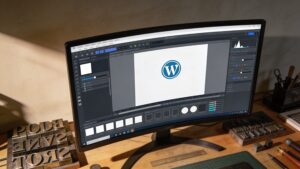
How to Change Fonts in WordPress (Beginner to Advanced)
Want to change fonts in WordPress but not sure where to start? This beginner-to-advanced guide walks you through using theme settings, plugins, page builders, custom CSS, and font uploads to create a polished, professional, and brand-focused website.

Serif vs Sans Serif: Which Font Is Better for Websites?
Serif or sans serif for your website? This in-depth guide compares readability, branding impact, performance, and SEO to help you choose the perfect font style for a modern, professional, and high-converting website.